
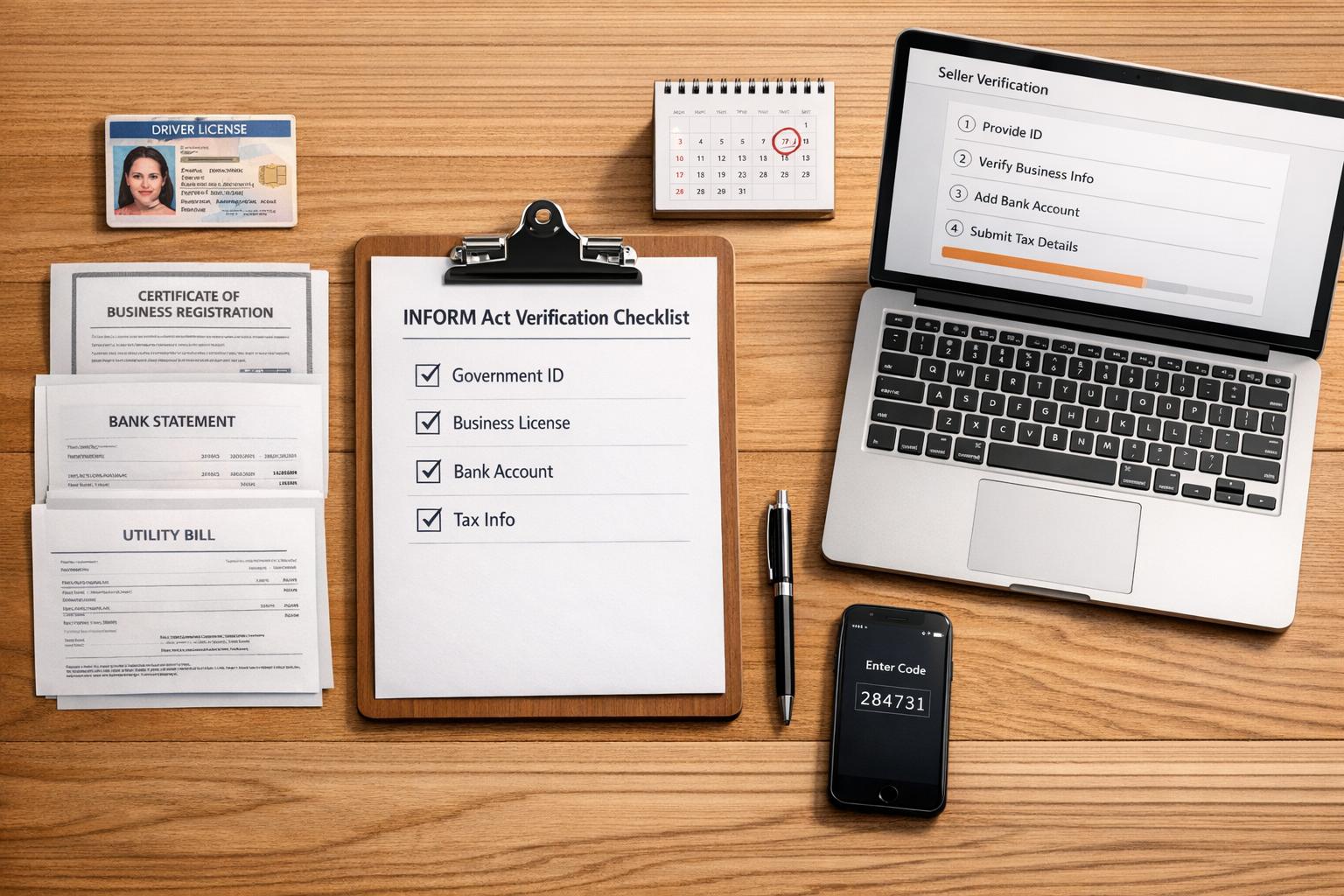
The INFORM Consumers Act, effective June 27, 2023, changes how Amazon and other online marketplaces verify sellers to combat organized retail crime. If you sell on Amazon and meet specific thresholds, you must provide verified business details and comply with annual certifications to avoid account suspension or penalties. Here’s what you need to know:
- Who it applies to: Sellers with 200+ transactions and $5,000+ gross revenue in a 12-month period.
- Key requirements:
- Submit verified bank info, tax ID, and contact details.
- Annual certification of accuracy.
- Public disclosure of name and address for sellers earning $20,000+ annually.
- Penalties for non-compliance: Account suspension, payout holds, and fines up to $53,088 per violation.
Amazon enforces these rules strictly, requiring sellers to act fast when prompted for verification. Stay proactive by monitoring your Account Health dashboard to ensure compliance and avoid disruptions to your business.
[Inform Act] Amazon Re-Verifying Thousands of Sellers – Identity Verification Tips
sbb-itb-e2944f4
Amazon’s INFORM Act Compliance Requirements
Amazon has established clear documentation requirements to help sellers comply with the INFORM Act. If you’re a high-volume seller, you’ll need to provide specific information for verification. This process is mandatory under federal law.
Required Information Submission
When prompted through Seller Central, you’ll need to submit the following:
- Identity Information:
Include the authorized individual’s name. For businesses, provide the legal name and designated contact person. - Bank Account Details:
Submit a valid bank account number or the payment recipient’s name. - Contact Information:
Provide a working business phone number and an official business email address. Verification codes will be sent via SMS, automated call, or email to confirm these details. - Physical Business Address:
Enter your actual business location – P.O. boxes are not accepted. - Tax Identification Number:
Provide a valid business tax ID or taxpayer identification number.
You must respond within 10 days of being prompted to avoid account deactivation.
"If you do not provide the information, documents, or certifications requested by Amazon for verification by the dates requested, we may temporarily deactivate your selling account as required by the new law."
- Cooper_Amazon, Amazon Moderator
Amazon will also require you to certify annually that your submitted information remains accurate. You’ll have 10 days to complete this process after receiving the certification notice.
Once your information is submitted, Amazon will verify it using a detailed process.
Amazon’s Verification Process
Amazon employs a thorough verification system to confirm all submitted details:
- Identity Verification:
You may need to submit government-issued IDs, tax documents, and even participate in a video interview to verify your identity and recent account activity. - Bank Account Verification:
Upload complete bank statements showing the last four digits of your account number. The statements must confirm the account is in your name. - Address Verification:
Amazon first checks your business address against its database. If this fails, a physical postcard with a verification code will be mailed to your address. - Tax ID Validation:
Taxpayer identification matching tools are used to confirm the accuracy of your tax details. Many U.S.-based sellers have already completed this step during initial account setup.
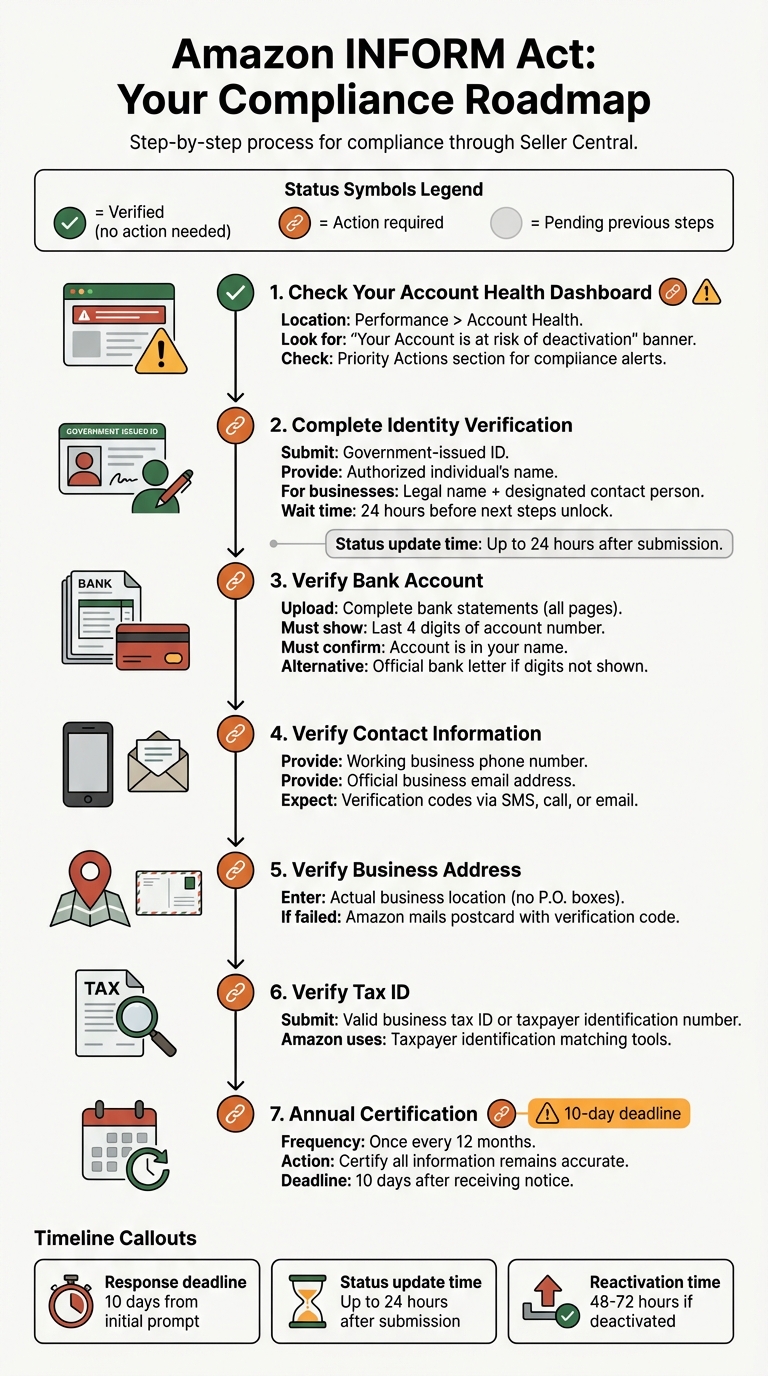
To stay compliant, regularly monitor your Account Health Dashboard under "Priority Actions" for any INFORM Act alerts. A green check mark means your verification is complete, while a circle with a link indicates further action is needed. After submitting your documents, it may take up to 24 hours for your status to update. If your account is deactivated due to non-compliance, reactivation typically takes 48 to 72 hours once all verification steps are completed.
How to Comply Through Amazon Seller Central

Amazon INFORM Act Compliance Step-by-Step Guide for Sellers
Amazon Seller Central simplifies the process of meeting the INFORM Act requirements. The platform integrates compliance checks into two key areas: the Account Health page (found under Performance > Account Health) and the Account Information page (located under Settings > Account Info).
Submitting and Verifying Documents
To get started, visit the Account Health dashboard under Performance > Account Health. Here, you can spot any compliance alerts. Look for a banner that says "Your Account is at risk of deactivation" or check the Priority Actions section for a link labeled "Review Your Account Information."
Step one is identity verification. Once that’s complete, allow 24 hours for the next steps to become available, such as verifying your Bank Account, Phone Number, Business Address, and Tax ID.
The dashboard uses three symbols to help you track your progress:
| Symbol | Meaning | What to Do |
|---|---|---|
| Green Check Mark | Verified | No further action needed unless your information changes |
| Circle with Link | Action required or in progress | Click the link to submit or update your information |
| Greyed-out Circle | Pending previous steps | Wait for identity verification to finish |
When uploading documents, include all pages – even blank ones – to avoid automatic rejection. Ensure every detail, like middle initials and full addresses, matches exactly across all documents.
If your bank statement doesn’t display the last four digits of your account number (common with some credit unions), request an official letter from your bank confirming your account details. For failed address verifications, Amazon may mail you a postcard with a code to confirm your business address.
Don’t forget to complete the annual certification requirement.
Now, let’s look at how to resolve common issues and handle rejections effectively.
Fixing Common Issues and Rejections
If your document uploads are rejected or steps appear stuck, these troubleshooting tips can help. Rejections often happen due to mismatched information or incomplete uploads. Double-check that details like your business name, address, and personal information (including middle initials) are consistent across all documents.
Make sure your uploads are high-quality, full-page, and in clear color. For organizational charts, ensure they are signed by a legal representative, dated within the last 180 days, and printed on company letterhead.
Sometimes, technical glitches can arise. For example, sellers with active Amazon Lending loans may encounter a "Forbidden" error during bank verification. Amazon is aware of this issue and generally exempts affected sellers from payout holds while resolving it.
If fields appear greyed-out, it usually means earlier verification steps are still pending. This is a backend issue, not a browser problem, so wait for the prior steps to clear.
Some sellers may also be required to complete a video interview with an Amazon agent. During the interview, you’ll need to present your ID and answer questions about your account activity.
"Amazon gives you 60 days to complete verification. Sounds fair – until you realize Amazon doesn’t stop the clock when they’re reviewing your documents."
- Or Shamosh, CEO, Amazon Sellers Appeal
If your account is deactivated due to non-compliance, complete all verification steps as quickly as possible. Reactivation typically takes 48 to 72 hours once everything is submitted correctly.
Consequences of Non-Compliance
Failing to comply with the INFORM Act comes with immediate repercussions. Amazon is required by law to suspend your ability to sell if you don’t provide or verify the necessary information within 10 days of receiving a non-compliance notice. On top of that, Amazon will freeze your payouts and disbursements, as outlined in the Business Solutions Agreement, until all verification steps are successfully completed. Sellers have reported instances where checks were withheld due to pending or rejected verification credentials. This effectively halts all sales, deactivates listings, and limits access to the Buy Box. Below, we’ll break down how these consequences can disrupt your account and expose you to legal risks.
Account Suspension and Payout Holds
When you receive a non-compliance notice, you’re required to submit the requested information promptly to avoid suspension. This applies not just to the initial verification process but also to annual recertifications.
"If the seller doesn’t provide the information within 10 days, the marketplace must ‘suspend any future sales activity’ of the seller until the seller complies with the requirements of the law."
Even after you’ve completed the necessary steps, reactivating your account can take 24 to 72 hours. During this downtime, your business operations are paralyzed, leading to revenue loss and potential damage to your reputation.
Legal and Financial Penalties
Beyond account-related consequences, non-compliance puts you at risk of legal action. The Federal Trade Commission classifies INFORM Act violations as "unfair or deceptive acts or practices". This can lead to enforcement by the FTC or legal action at the state level, with civil penalties reaching up to $53,088 per violation. Additionally, State Attorneys General can file lawsuits in federal court to stop further violations and seek compensation or restitution for impacted residents. These overlapping legal risks can have lasting effects on your business, even after resolving issues with Amazon.
How Emplicit Supports INFORM Act Compliance

Running a high-volume Amazon business while staying compliant with the INFORM Act can feel like juggling too many tasks at once. Between managing documentation, meeting deadlines, and keeping your account in good standing, it’s easy to feel overwhelmed. That’s where Emplicit steps in. Their account health management services take charge of the technical details, ensuring your Seller Central Account Health and Account Information pages are always up-to-date. By catching verification requirements early – before the 10-day response window kicks in – they help prevent account deactivation and keep your business running smoothly.
Account Health Management and Verification Support
Emplicit simplifies compliance by streamlining your documentation process. They help collect and submit critical documents like bank account numbers, tax identification numbers (TIN), and government-issued IDs. Beyond that, they ensure your business contact details – phone numbers, email addresses, and physical addresses – are properly verified through Amazon’s systems.
This service becomes especially helpful when sellers face technical roadblocks. For example, issues like bank statements from credit unions missing the last four digits of the account number or "Forbidden" access errors tied to Amazon Lending loans can derail verification. Emplicit steps in to resolve these problems efficiently.
They also handle the annual certification process, a requirement for high-volume sellers to confirm their account information is accurate at least once every 12 months. Missing this step can lead to immediate account deactivation, but Emplicit ensures these certifications are completed on time and all account details are re-verified.
Custom Compliance and Growth Strategies
Emplicit goes beyond basic compliance. They tailor strategies that align INFORM Act requirements with your broader goals on platforms like Amazon, TikTok Shops, Walmart, and Target. Their team, based in the U.S., understands that compliance isn’t just about avoiding penalties – it’s about maintaining the account health needed to grow your business. By integrating compliance management with services like PPC optimization, listing improvements, and inventory management, they help you scale without interruptions.
When technical issues pop up – like Tax Questionnaire errors or business type selections that can’t be changed after submission – Emplicit audits your Account Health and Account Information pages to pinpoint and resolve problems. Since account reactivation after verification typically takes 24 to 48 hours, their proactive monitoring minimizes downtime, protecting your revenue and reputation from account suspensions.
Conclusion
Adhering to the INFORM Consumers Act is essential for anyone operating as a high-volume seller on Amazon. The law requires sellers handling 200+ transactions and earning over $5,000 within a 12-month period (since June 27, 2023) to submit, verify, and annually certify their business information. Missing the strict 10-day deadline for compliance can lead to immediate account suspension and payout holds.
Beyond the legal and financial consequences, maintaining strong account health is crucial for long-term success. Sellers face civil penalties of up to $53,088 per violation, and Amazon’s automated systems act quickly to enforce compliance. But this isn’t just about avoiding fines – it’s about fostering trust. Displaying your business name and address, as required for sellers earning over $20,000 annually, helps establish credibility in a marketplace where third-party sellers account for nearly 60% of all units sold.
"Staying compliant means staying in business." – FifthShelf
Make your Account Health page a priority. Regularly check for verification prompts, and ensure all submitted documents – like bank statements, tax IDs, and government-issued IDs – are accurate and up to date.
If managing these compliance requirements feels overwhelming, services like Emplicit’s account health management can handle the details for you. Their U.S.-based team ensures deadlines are met, documents are resolved, and compliance aligns with your growth strategy. With account reactivation often occurring within 24 to 48 hours after verification, proactive compliance management safeguards your revenue and keeps your business running smoothly.
FAQs
How do I know if I’m a “high-volume seller” under the INFORM Act?
If you’re a high-volume seller under the INFORM Act, it means that within any rolling 12-month period over the last 24 months, you’ve completed at least 200 transactions and earned $5,000 or more in gross revenue. Sellers who meet these criteria are required to follow the Act’s guidelines.
What documents should I prepare before Amazon requests verification?
To make the Amazon verification process smoother, ensure you have the following documents ready:
- Government-issued photo ID: For individual sellers, this could be a passport or driver’s license.
- Business documentation: If you’re registering as a business, you’ll need documents like a business license, Certificate of Good Standing, or tax registration.
- Recent bank statement: This must be from the last 180 days and show your name or business name along with the address.
- Accurate business details: Ensure your business address, tax ID, and contact information match official records.
Having these prepared will save you time and help avoid delays during verification.
What should I do if Amazon rejects my documents or my verification gets stuck?
To tackle rejection issues, start by addressing common culprits such as blurry document scans, mismatched details, or expired paperwork. Ensure your uploaded documents are crystal clear, all information aligns perfectly with your registration, and everything is up to date. If you’re still facing delays, take another look for potential mistakes or inconsistencies. For persistent issues, reach out to Amazon Seller Support for assistance. You can also consult Amazon’s verification FAQs for tailored advice on resolving specific challenges.