

Amazon sellers use several tools and methods to gather customer feedback, which directly impacts sales and builds trust. Here’s a quick summary of the main strategies:
- Amazon’s Built-in Tools:
- Request a Review Button: Sends standardized review requests via email, ensuring compliance with Amazon policies.
- Amazon Vine Program: Provides up to 30 detailed reviews from selected reviewers in exchange for free product units. Costs range from $0 to $200 depending on the number of units enrolled.
- Customer Reviews Tool: Allows sellers to track and respond to reviews, offering refunds or addressing issues for critical feedback.
- Custom Approaches:
- QR Codes on Packaging: Direct customers to review pages or support resources without offering incentives.
- Post-Purchase Follow-Ups: Send neutral, personalized messages via email or SMS to encourage reviews.
- Best Practices:
- Follow Amazon’s strict policies to avoid penalties (e.g., no incentives for reviews).
- Monitor key metrics like review volume, star ratings, and sales trends to measure success.
Feedback is essential for improving products and building long-term customer relationships. Sellers combining Amazon’s tools with compliant, personalized strategies can see increased reviews and sales while maintaining trust.
Track and respond to customer reviews on Amazon
sbb-itb-e2944f4
Amazon’s Built-in Feedback Collection Tools
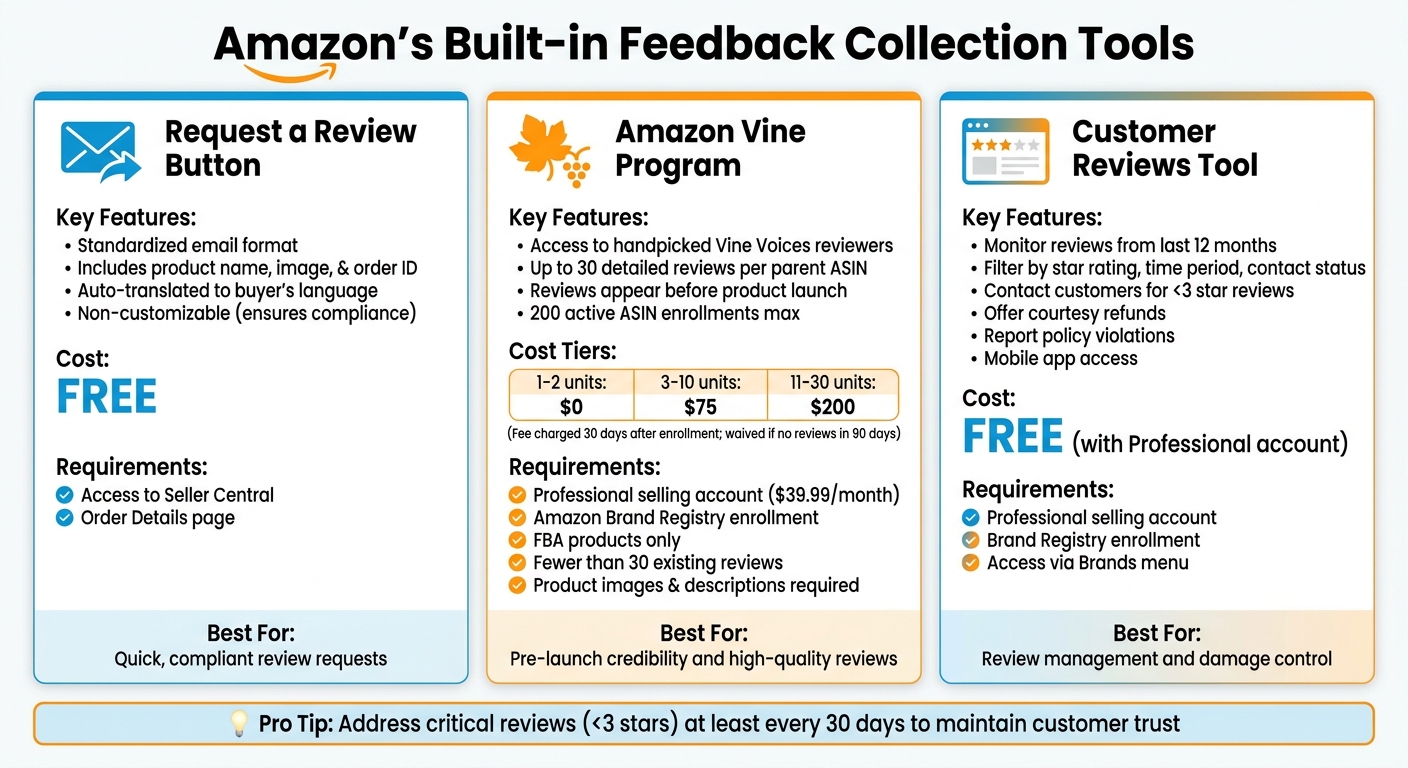
Amazon Feedback Collection Tools Comparison: Features, Costs, and Requirements
Amazon offers several tools designed to make collecting feedback easier while staying within their policies.
Request a Review Button
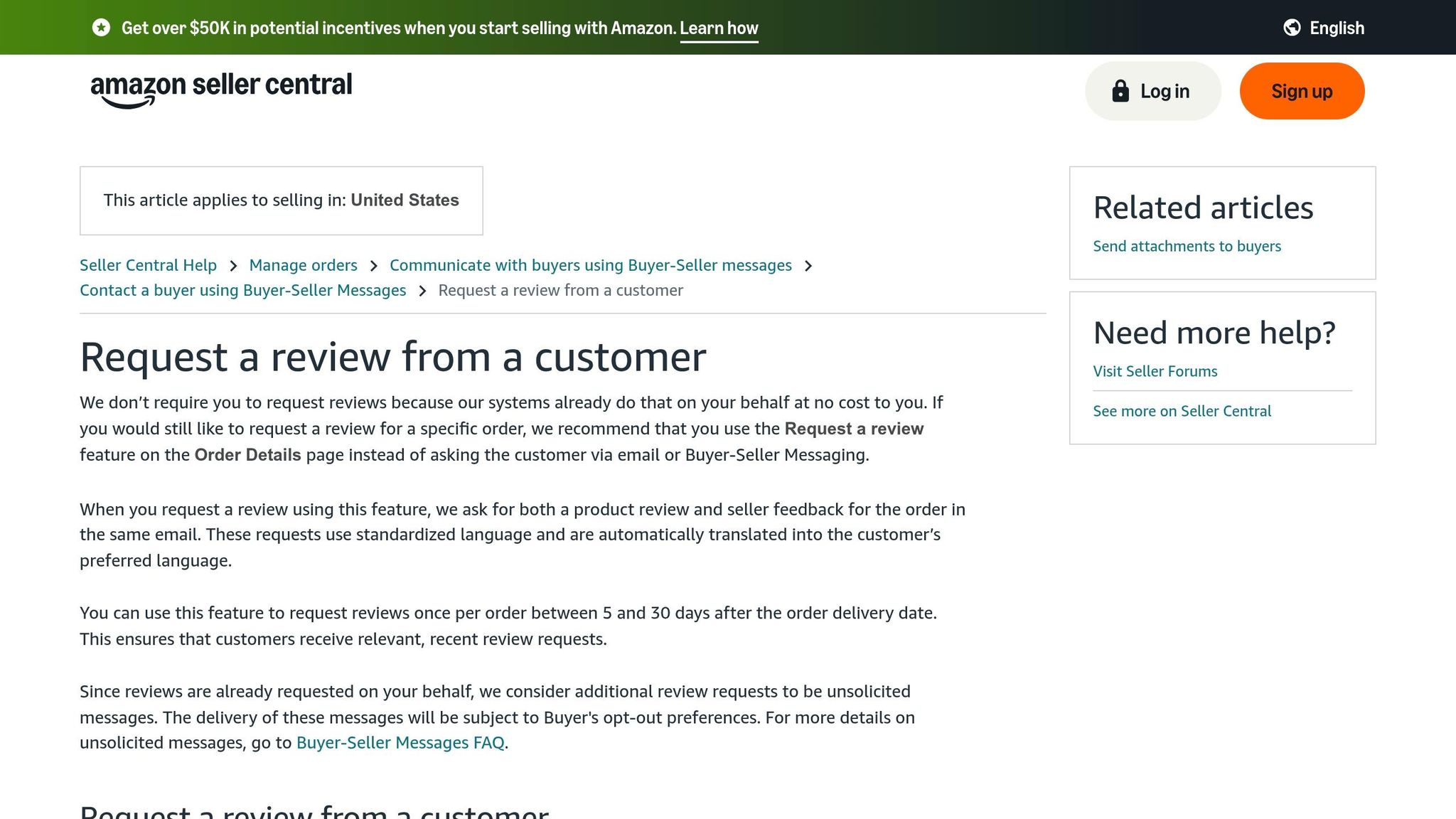
The Request a Review button is one of the quickest ways to ask for feedback. You’ll find it on the Order Details page under the Orders section in Seller Central. When clicked, Amazon sends a standardized email to the buyer. This email includes the product name, image, and order ID.
Since the format is standardized and non-customizable, it ensures compliance with Amazon’s policies. The system also uses pre-translated templates, automatically sending the request in the buyer’s preferred language. This makes the outreach professional and appropriate for different markets.
Amazon Vine Program
Amazon Vine connects your products with Vine Voices, a handpicked group of reviewers chosen by Amazon for their helpful and detailed reviews. You provide free product units, and these reviewers give honest feedback, which appears directly on your product listing.
To participate, you’ll need:
- A Professional selling account ($39.99/month)
- Enrollment in the Amazon Brand Registry
- Products fulfilled by Amazon (FBA) with fewer than 30 reviews
Your product listings must include images and descriptions and cannot belong to restricted categories like adult or digital products. You can enroll through the Vine dashboard under the Advertising menu in Seller Central.
Here’s the cost breakdown:
| Number of units per parent product | Enrollment cost (USD) |
|---|---|
| 1–2 units | $0 |
| 3–10 units | $75 |
| 11–30 units | $200 |
You’ll only be charged 30 days after enrollment and once the first review is published. If no reviews are posted within 90 days, the fee is waived. Additionally, new sellers enrolled in Brand Registry may qualify for a $200 credit toward Vine. The program allows up to 30 reviews per parent ASIN and supports up to 200 active ASIN enrollments at a time.
Amazon highlights the program’s benefits:
"Amazon Vine is a program that helps you collect high-quality reviews for your products – even before launch – so shoppers can make informed purchasing decisions".
A smart move is to enroll your products before inventory arrives or before the listing goes live. Ensure your inventory is ready at least three weeks before your planned launch date. Reviews stay hidden until your official launch, giving you immediate credibility once your product goes live.
Customer Reviews Tool
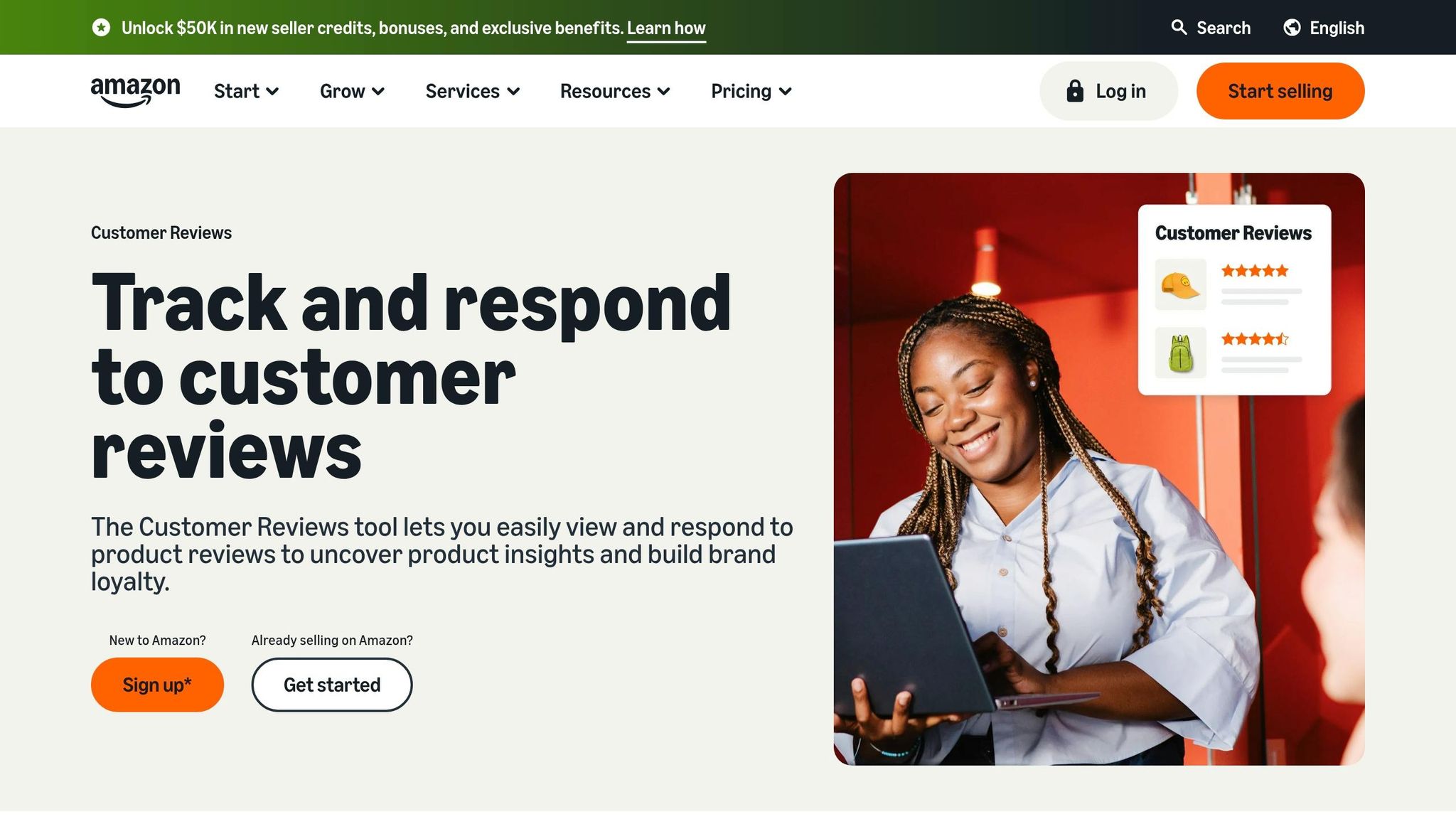
The Customer Reviews tool in Seller Central helps you monitor and respond to reviews. To use it, you’ll need a Professional selling account and enrollment in Brand Registry. You can find the tool under the Brands menu.
This tool shows reviews from the last 12 months in chronological order and allows you to filter by star rating, time period, or contact status. For reviews with less than three stars, you can use the Contact Customer feature to offer a full courtesy refund or request more details to address the issue. If a review violates Amazon’s community guidelines, you can report it directly by clicking Show Review Details and then Report.
Amazon suggests addressing critical reviews (those with less than three stars) at least every 30 days to demonstrate your commitment to customer satisfaction. The Amazon Seller mobile app also lets you manage feedback on the go, including viewing reviews, posting public replies, and handling support cases. After major shopping events, increasing your review monitoring can help you strengthen relationships with new customers while engagement is high.
These tools provide a solid foundation for collecting feedback, but sellers can also explore custom methods to build on these features.
Custom Feedback Collection Methods
When it comes to gathering customer feedback, going beyond Amazon’s built-in tools can make a big difference – provided everything stays within Amazon’s strict guidelines.
QR Codes on Product Packaging
Including QR codes on product packaging or inserts is allowed, but only when used properly. These codes cannot be used to manipulate or incentivize reviews in any way. That means no offering discounts, coupons, or free gifts in exchange for feedback. Instead, QR codes can direct customers to helpful resources, such as Amazon’s review submission page, warranty registration, or technical support.
Amazon clarifies:
"Examples of acceptable uses of QR codes are directing the customer to the Amazon review submission page, a warranty page, or a product (technical) support page."
If you’re using product inserts, keep the tone neutral. For example, thanking customers for their purchase is fine, but avoid language that asks for only positive reviews or suggests contacting you before leaving negative feedback. A simple line like "We would love to hear about your experience" works much better than directly asking for a 5-star review.
You can also include links to social media platforms like Facebook or Instagram, but these links must follow Amazon’s communication rules. Additional resources, such as instructional videos or product manuals, can enhance the customer experience while naturally encouraging feedback.
Pairing this method with targeted follow-up campaigns can further strengthen your approach.
Post-Purchase Follow-Up Campaigns
Follow-up campaigns via email or SMS are another effective way to gather feedback – when done right. Timing is key: send your message a few days after the product has been delivered to give customers time to use it. Personalize the communication by including the customer’s name and product details, which can make the message feel more engaging. To make the process easy, include a direct, one-click link that takes customers straight to the review page.
It’s crucial to keep the tone neutral. As Nisha Shetty from SentryKit explains:
"Mastering Amazon feedback email best practices is essential – not just for improving your reputation but for staying within Amazon’s strict communication guidelines."
You can also ask specific questions like, "Did the product meet your expectations?" to encourage more detailed feedback. Since many customers use their phones to interact with Amazon, ensure your follow-up messages are mobile-friendly. If you receive feedback below three stars, use Amazon’s Customer Reviews tool to offer a refund or gather more information about the issue.
Feedback Collection Best Practices and ROI
Amazon Policy Compliance
Amazon takes customer feedback integrity very seriously, enforcing a zero-tolerance policy for violations. As a seller, it’s essential to know exactly what’s allowed under their rules.
Here’s what you should never do:
- Offer financial rewards, discounts, free products, or reimbursements in exchange for reviews.
- Use incentives like coupon codes, gift cards, or future discounts to influence reviews.
- Post reviews for your own products or block negative feedback.
It’s also important to train your entire team on these policies. Amazon holds sellers accountable for any violations committed by their staff or associates. Breaking these rules can lead to serious consequences, including losing your selling privileges, having funds withheld, removal of all product reviews, and even legal action.
Following these guidelines not only helps protect your account but also ensures you’re accurately measuring your return on investment (ROI).
Measuring Results and ROI
To evaluate the success of your feedback strategies, focus on a few key metrics: review volume, star ratings, and changes in sales. ROI can be calculated by comparing sales before and after implementing a feedback strategy. For instance, enrolling a product in Amazon Vine has been shown to increase sales by up to 30% while generating as many as 30 high-quality reviews.
Different feedback collection methods yield varying levels of success. For example, QR codes on product inserts tend to drive about 15% more responses than printed web addresses, making them a more effective way to engage customers. With lower conversion rates for some methods, it’s essential to leverage every available tool, from the Request a Review button to follow-up campaigns.
However, don’t just focus on review counts – keep an eye on profit margins as well. On average, small and medium Amazon sellers see profit margins around 21%, but ad and promotional spending can eat up 15% to 20% of revenue. If you’re investing heavily in ads to drive sales and reviews, ensure the increased conversion rates justify the expense. While 58% of Amazon sellers report becoming profitable within their first year, understanding how review acquisition costs affect your net profit is key to sustaining long-term growth.
Conclusion
Effective feedback collection is a must for thriving on Amazon. With average feedback rates hovering around 1%–2% per 100 sales, sellers need to tap into every resource to stay competitive. The best results come from combining Amazon’s built-in tools – like the Request a Review button and the Amazon Vine Program – with personalized strategies, such as QR codes on packaging and thoughtful post-purchase follow-ups.
The Amazon Vine Program highlights how strategic feedback collection can drive meaningful results, delivering high-quality reviews that directly influence sales performance. As Mickey Toogood, Sr. Content Marketing Manager at Amazon, explains:
"The easier you make it for customers to leave product reviews, the more likely they are to do so."
However, gathering feedback is just the starting point. The real value lies in using that feedback to refine products, address customer concerns, and showcase improvements – actions that build trust and loyalty. The top 25% of Amazon sellers stand out by prioritizing customer insights to enhance their offerings rather than simply chasing review volume. This approach not only drives immediate sales but also strengthens long-term customer relationships.
It’s crucial to stay compliant by avoiding incentives or manipulative tactics while keeping an eye on key metrics like review volume, star ratings, and sales trends. With an average profit margin of 21% and ad spend eating up 15% to 20% of revenue, understanding the ROI of feedback strategies ensures that sellers invest in methods that genuinely support growth. By following Amazon’s guidelines and leveraging feedback effectively, sellers can lay the groundwork for sustainable success.
At its core, customer feedback isn’t just about collecting reviews – it’s about building a business that listens, evolves, and meets the real needs of its customers.
FAQs
When is the best time to send a review request after delivery?
The sweet spot for sending a review request is usually 3–7 days after delivery. This gives customers enough time to try out the product and share meaningful feedback. However, the perfect timing can depend on factors like the type of product, the shipping method used, or even the time of year. Keep these details in mind when planning your requests.
How do I use QR codes on inserts without breaking Amazon rules?
Including QR codes on product inserts can be a smart way to connect with your customers – as long as you stick to Amazon’s rules. These codes can lead to your Amazon store, brand-related content, or even your social media channels. However, there are some important restrictions to keep in mind.
You cannot use QR codes to redirect sales away from Amazon or to encourage reviews in exchange for perks. Offering discounts or linking to sites that manipulate reviews is also off-limits. Always ensure that your messaging follows Amazon’s guidelines to avoid any compliance issues.
How can I estimate the ROI of Amazon Vine for my product?
To figure out the ROI of Amazon Vine, start by weighing the program’s costs – like the enrollment fee and the value of the free products you’ll need to supply – against the potential benefits. These benefits often include getting early, detailed reviews that can boost your product’s credibility and potentially drive sales. Consider how these reviews might improve your product’s visibility and conversion rates to determine if the program is a worthwhile investment for your specific product.