

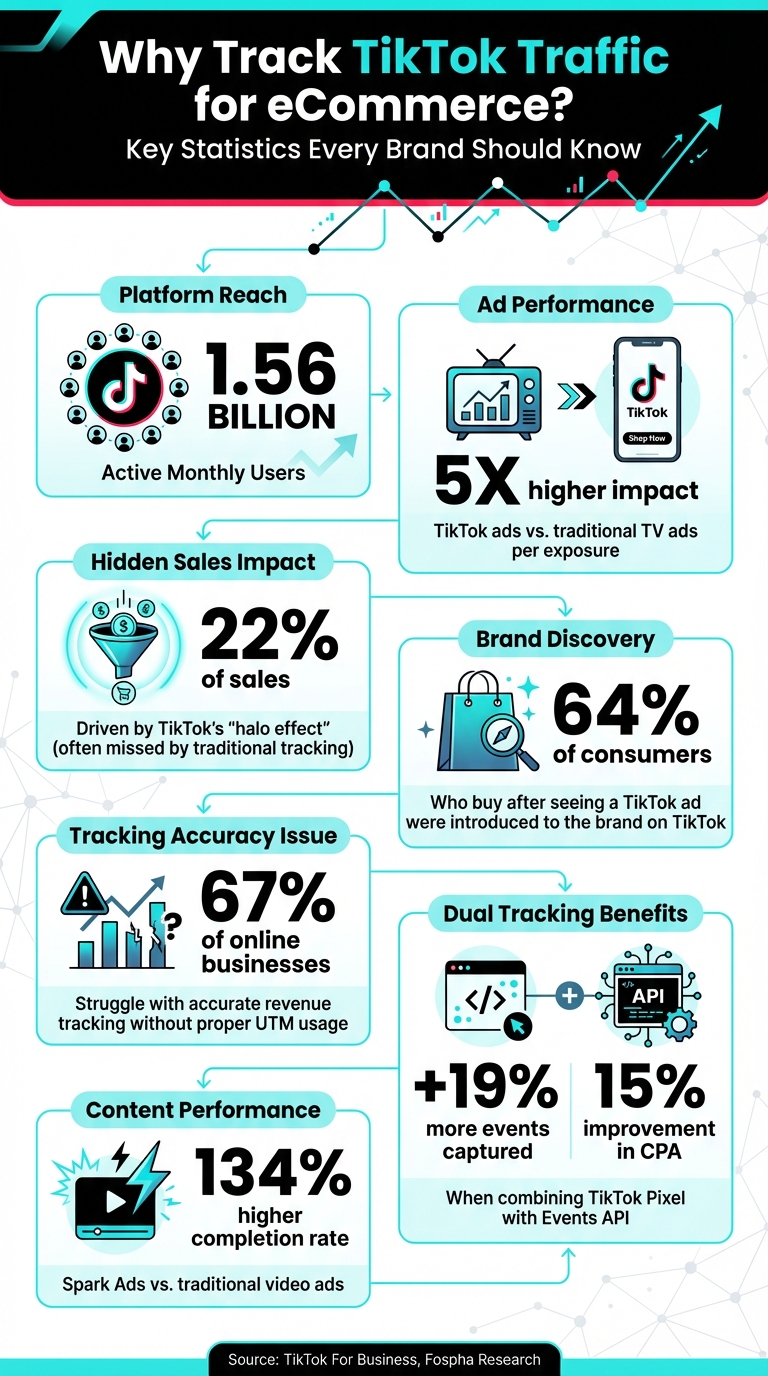
TikTok isn’t just for entertainment anymore – it’s a powerful platform for driving eCommerce sales. With over 1.56 billion monthly users, TikTok offers brands a chance to connect with highly engaged shoppers. It’s evolved into a full-funnel conversion platform, where users can discover, interact with, and purchase products without leaving the app.
Here’s what you need to know:
- TikTok ads generate 5x higher impact per exposure than traditional TV ads.
- The platform’s "halo effect" indirectly drives 22% of sales, often missed by traditional tracking methods.
- Tools like TikTok Pixel and UTM parameters help track performance, optimize campaigns, and improve ad targeting.
- TikTok Analytics reveals which content works best, from engagement to conversions.
Why does this matter? Accurate tracking helps you make smarter decisions about ad spend, creative strategies, and audience targeting, unlocking TikTok’s potential for growing your eCommerce business.
Let’s break down how to track and use TikTok traffic data to boost your sales.
TikTok eCommerce Traffic Tracking: Key Statistics and Impact Metrics
TikTok Shop Analytics Explained: Track Best-Selling Products

Setting Up TikTok Pixel for Traffic Tracking
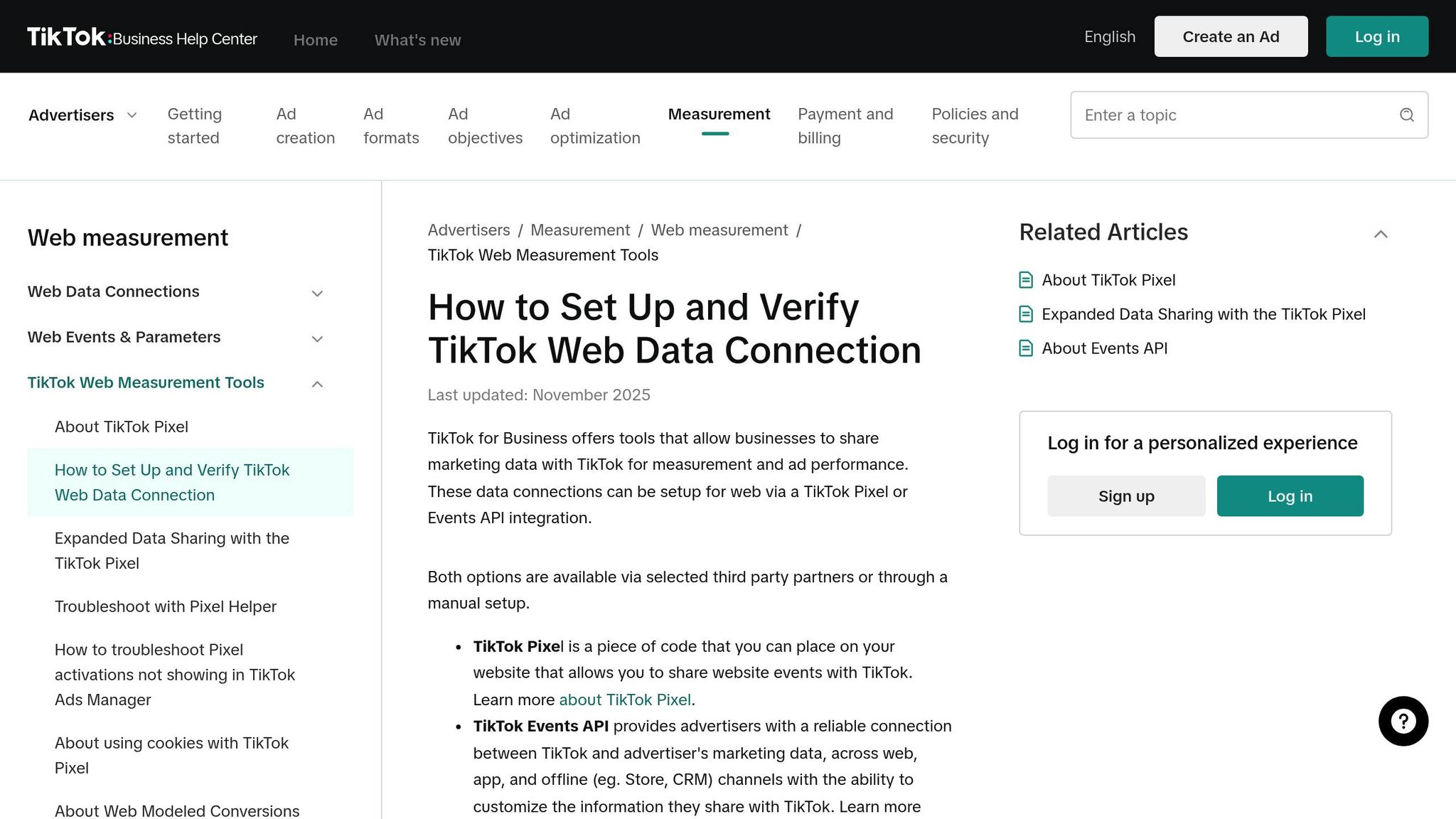
The TikTok Pixel is a small piece of HTML code you add to your website to track visitor activity – everything from page views and clicks to completed purchases. Think of it as the link that connects your TikTok ads to your eCommerce site. Best of all, it’s free to use with a TikTok Ads Manager account.
"The TikTok Pixel is your ‘secret weapon’ to advertising success. It automatically uncovers insights to strengthen your ad campaigns, thus driving more sales for your business." – TikTok For Business Blog
The results can be game-changing. For instance, in 2023, HiSmile, a teeth-whitening brand, shifted its TikTok ad strategy to focus on "Add to Cart" events instead of "Complete Payment." This adjustment gave TikTok’s algorithm more data to work with, leading to a 28% boost in sales revenue. Tracking isn’t just about measuring performance – it’s about improving it.
Here’s how to set up the TikTok Pixel and start tracking.
How to Create and Install TikTok Pixel

The installation process varies depending on your eCommerce platform. Platforms like Shopify, BigCommerce, or WooCommerce make it easy with TikTok’s official app, which allows for one-click installation. For Shopify users, simply download the TikTok app from the Shopify App Store, connect your TikTok Ads Manager account, and the Pixel will be automatically installed. You can choose between "Enhanced" or "Maximum" data sharing settings to combine the Pixel with TikTok’s Events API, ensuring precise data collection.
If your website doesn’t support partner integrations, you’ll need to set up the Pixel manually. Log in to TikTok Ads Manager, go to Tools > Events > Web, and choose "Manually setup." From there, assign a name to your Pixel (up to 128 characters), copy the base code, and paste it into your website’s header section. Once the code is live, use TikTok’s Event Builder tool to configure specific tracking events – no extra coding required. This setup helps you identify which campaigns drive sales, refines TikTok’s algorithm to target potential buyers, and enables audience-building for retargeting.
Before launching any campaigns, double-check that everything is working properly. Use the TikTok Pixel Helper Chrome extension or the "Test Events" feature in Events Manager to confirm the Pixel is tracking correctly. A quick verification step like this can save you from wasting ad dollars on campaigns that don’t track conversions.
Setting Up Event Tracking for Conversions
To get the most out of your TikTok Pixel, you need to track the right customer actions. After installing the Pixel, set up event tracking to monitor key behaviors. Focus on three essential events: View Content (when a user visits a product page), Add to Cart (when they add an item to their cart), and Complete Payment (when they finish the checkout process). These events provide TikTok’s algorithm with the insights it needs to optimize your campaigns based on where users are in their buying journey.
If you’re using a platform like Shopify, you can enable Automatic Event Tracking in the TikTok app settings to automatically log standard eCommerce events – no manual setup required. For manual installations, TikTok’s Event Builder tool lets you define events based on user actions, such as button clicks or specific URLs. For example, you can set an Add to Cart event to trigger whenever someone clicks a "Buy Now" button or visits a URL containing "/cart."
To improve conversion tracking and retargeting, activate Advanced Matching. This feature sends hashed customer data, helping TikTok attribute conversions more accurately.
Start by optimizing for Add to Cart events. Once you’ve gathered enough data, shift your focus to Complete Payment events to fine-tune your campaigns and drive more sales.
Using UTM Parameters to Track TikTok Traffic
While the TikTok Pixel monitors user actions on your website, UTM parameters help you pinpoint exactly which ad is driving that traffic. These parameters, short for Urchin Tracking Module codes, are added to your URLs to track performance in tools like Google Analytics.
Here’s why this matters: 67% of online businesses struggle with accurate revenue tracking without proper UTM usage. Without them, you risk misjudging your campaign performance and wasting your budget. UTMs make it possible to see which ads are directly leading to purchases, giving you a clearer picture of your Return on Ad Spend (ROAS).
"Tagging your ads with UTM parameters is always a best practice, as it allows you to evaluate both the quantity and quality of visits, as well as conversions from your TikTok ad campaigns." – TikTok Ads Manager
TikTok simplifies this process with dynamic macros, which automatically insert real-time campaign data into your tracking links. For example, placeholders like __CAMPAIGN_NAME__ are replaced with the actual campaign name when someone clicks your ad.
Creating Custom UTM Links for TikTok Campaigns
To build effective UTM links, use these five standard parameters:
- utm_source: Identifies the platform (e.g., "tiktok").
- utm_medium: Specifies the marketing medium (e.g., "paid_social" or "cpc").
- utm_campaign: Names your campaign.
- utm_content: Differentiates ad creatives.
- utm_term: Includes targeting details or ad group names.
A complete TikTok URL might look like this:
https://yourstore.com/product?utm_source=tiktok&utm_medium=paid_social&utm_campaign=CAMPAIGN_NAME&utm_content=CID_NAME&utm_term=AID_NAME
TikTok macros (indicated by double underscores) ensure these placeholders are replaced with actual campaign data. Here’s a quick reference:
| TikTok Macro | Data it Automatically Pulls |
|---|---|
__CAMPAIGN_NAME__ |
The name of the Campaign |
__CAMPAIGN_ID__ |
The unique Campaign ID |
__AID_NAME__ |
The name of the Ad Group |
__CID_NAME__ |
The name of the Creative/Ad |
__PLACEMENT__ |
Where the ad appeared (e.g., TikTok) |
To set this up, head to TikTok Ads Manager, and use the URL parameter builder tool. You can opt for the "Auto attach" feature to include essential parameters like utm_source and utm_medium automatically. Prefer manual control? Paste your custom UTM string into the "Tracking URL" field for each ad.
Keep these three tips in mind:
- Use lowercase letters for all UTM values since Google Analytics is case-sensitive (e.g., "tiktok" instead of "TikTok").
- Replace spaces with underscores (e.g.,
summer_sale_2025) for cleaner URLs. - Avoid using UTMs on internal links within your website – this can overwrite referral data and mess up attribution.
Before launching, test your links in Google Analytics’ Real-Time report to confirm everything is working as expected. Once your UTMs are live, you can analyze the data to fine-tune your campaigns.
Analyzing UTM Data in Google Analytics

After tagging your campaigns, Google Analytics becomes your go-to tool for tracking TikTok performance. In Google Analytics 4, navigate to Reports > Acquisition > Traffic Acquisition and set "Session source/medium" as your primary dimension to see TikTok traffic.
Want deeper insights? Add "Session campaign" as a secondary dimension to compare campaigns or "Session manual ad content" to evaluate different ad creatives. For example, one beauty brand found that a "before/after" ad drove 3.4 times more purchases than an "ingredient closeup" ad – even though both had similar click-through rates.
"UTM parameters don’t just track clicks and conversions, they can also help you dive into how visitors behave once they arrive on your site… such as average session duration, bounce rate, [and] pages per session." – Kaylin Hoang, Ads Specialist, Mega Digital
Don’t just focus on traffic volume. Metrics like Bounce Rate, Conversion Rate, and Session Duration reveal the quality of your audience. For instance, a campaign with high traffic but a 90% bounce rate might be reaching the wrong people, while one with lower traffic but a 5% conversion rate could warrant a bigger budget.
Use the Real-Time report after launching to confirm your parameters are being captured correctly. Remember, once data is sent to Google Analytics, it can’t be edited retroactively – so testing before full deployment is a must.
sbb-itb-e2944f4
Using TikTok Analytics to Track Key Metrics
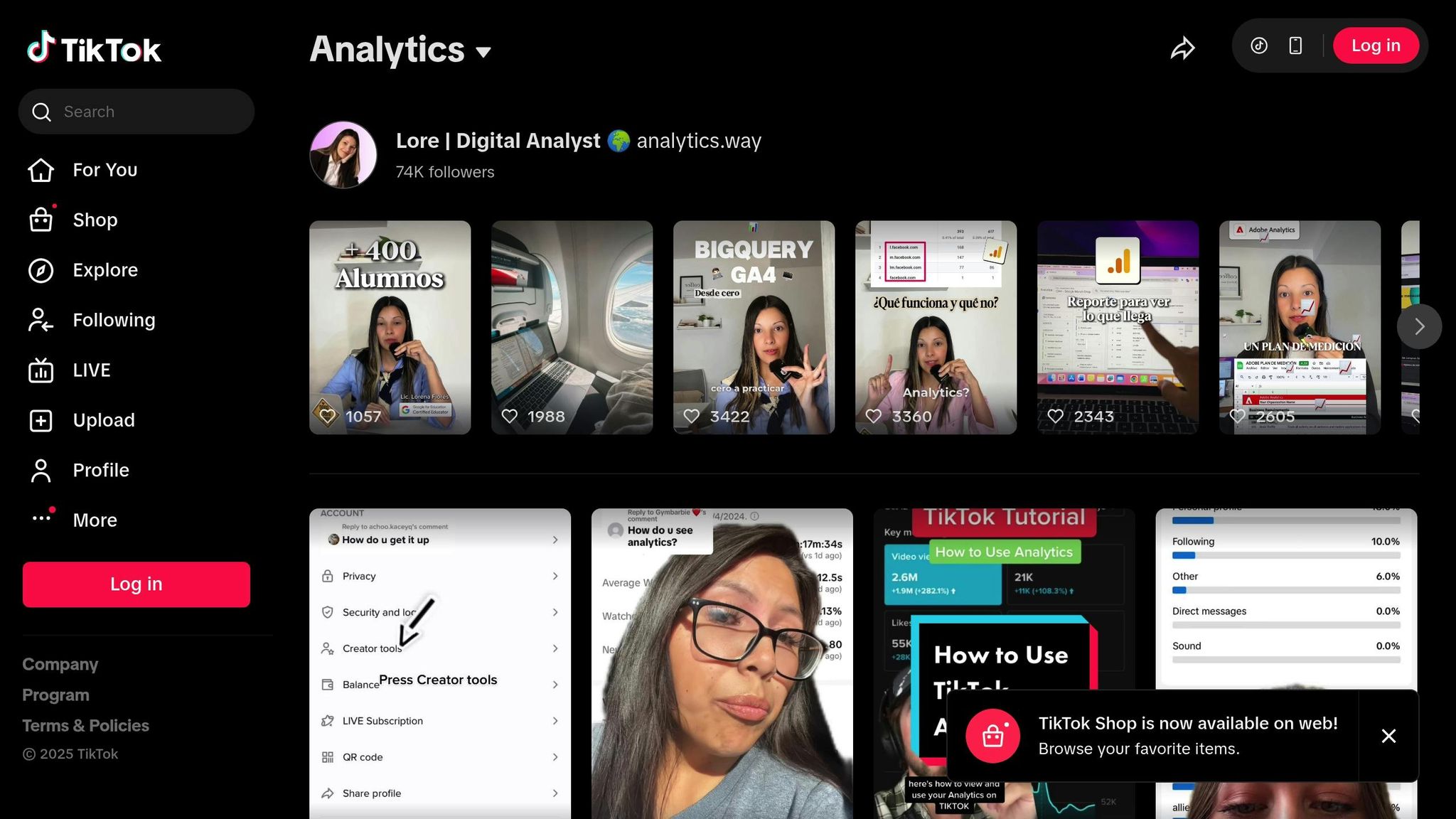
TikTok Analytics is your go-to tool for understanding how your content performs directly on the platform. Unlike website tracking that relies on UTMs and Pixels, TikTok Analytics offers a clear view of your content’s impact within the app. To access these insights, make sure you have a Creator or Business account. On mobile, head to Creator tools > Analytics, or on desktop, hover over your profile icon and select View Analytics.
The Analytics dashboard is divided into four main sections: Overview (a quick snapshot of performance), Content (detailed stats for individual posts), Followers (audience demographics and activity patterns), and LIVE (real-time data for live streams). For eCommerce brands, this data is invaluable – it highlights which content drives engagement and helps pinpoint posts worth amplifying with paid ads.
"If you can’t measure it, you can’t manage it." – Peter Drucker
Key Metrics to Monitor
When it comes to eCommerce, not all metrics are equally meaningful. Metrics like video views and profile visits show how far your content is reaching but don’t necessarily indicate viewer engagement. This is where engagement metrics – likes, comments, shares, and saves – take center stage. To measure engagement, divide total interactions by video views or follower count to calculate your engagement rate.
Metrics like average watch time and completion rate are also critical. These go beyond the basic three-second view threshold and reflect the quality of your content. A high completion rate signals to TikTok’s algorithm that your video is resonating with viewers. In fact, Spark Ads – which transform organic posts into paid ads – boast a 134% higher completion rate compared to traditional video ads.
For a direct impact on sales, focus on metrics like click-through rate (CTR), website visits, and TikTok Shop orders. These show whether your content is driving traffic and conversions. Additionally, the Followers tab provides insights into when your audience is most active, allowing you to schedule posts for peak engagement times.
| Metric Category | Key Metrics | Impact |
|---|---|---|
| Reach | Video Views, Profile Visits, Traffic Sources | Boosts brand awareness and discovery |
| Engagement | Likes, Shares, Comments, Saves | Builds community and improves algorithm ranking |
| Retention | Average Watch Time, Completion Rate | Validates content quality |
| Conversions | CTR, Website Clicks, TikTok Shop Orders | Drives sales and revenue growth |
| Audience | Active Times, Demographics, Net Followers | Optimizes targeting and posting schedules |
Tracking Website Clicks and Conversions
Your analytics journey doesn’t stop with on-platform performance. Tracking clicks and conversions is key to refining your strategy. The Content tab highlights which videos generate the most profile visits and follower growth. Look for patterns in your top-performing videos, such as popular sounds, unboxing formats, or compelling opening hooks, and apply these elements to future posts.
For more detailed conversion tracking, the TikTok Pixel (discussed earlier in this guide) is essential. It allows you to monitor actions like "View Content", "Add to Cart", and "Complete Payment". Still, TikTok Analytics offers valuable insights on its own. For instance, if a video sees high engagement but low clicks, it could indicate that your call-to-action needs adjustment.
A great example of analytics in action comes from SweetTreatyCo, a US-based candy business. In 2024, they used TikTok Analytics to identify their top-performing organic videos and converted them into Spark Ads. By focusing on "Complete Payment" events and increasing their daily ad budget to $120, they turned their organic reach into a powerful sales engine.
64% of consumers who buy after seeing a TikTok ad were introduced to the brand on TikTok. This underscores the importance of tracking which posts bring in new customers – your content could be the first and only touchpoint for many of your buyers.
Using Traffic Data to Grow Your eCommerce Business
Gathering traffic data is just the starting point – the real power lies in applying it effectively to fuel your business growth. By leveraging insights from tools like your Pixel, UTM parameters, and Analytics, you can make smarter decisions about budget allocation, audience targeting, and campaign scaling. When used thoughtfully, traffic data can give you a competitive edge beyond traditional reporting methods.
Take TikTok, for example. Understanding its "halo effect" can reshape your strategy. TikTok contributes to 22% of sales often attributed to bottom-of-funnel channels, meaning its impact might be far greater than it seems at first glance. By combining this insight with data from your Pixel and UTM tracking, you can refine your marketing approach to improve conversions and re-engage audiences more effectively.
Remarketing to Engaged Audiences
Remarketing is a powerful way to convert casual visitors into loyal customers. TikTok’s Custom Audiences feature allows you to segment users based on their behaviors – whether they browsed a product page, abandoned their cart, or watched at least half of your video ad.
For even better results, consider dual tracking. When advertisers combine the TikTok Pixel with the Events API, they capture 19% more events on average and achieve a 15% improvement in cost per action (CPA). Dynamic Product Remarketing takes this personalization a step further. By syncing your product catalog and using the content_id parameter in your Pixel setup, you can serve ads that showcase the exact products users viewed. For instance, if someone checked out a specific pair of sneakers on your site, they’ll see those same sneakers pop up in their TikTok feed later.
Another effective strategy is targeting Engagement Audiences – users who interacted with your TikTok content but haven’t yet visited your website. This approach helps nurture prospects and move them closer to making a purchase. A helpful tip: update your remarketing creative every 7–10 days to keep your ads fresh and avoid viewer fatigue.
| Custom Audience Type | Data Source | Best Use Case |
|---|---|---|
| Website Traffic | TikTok Pixel / Events API | Retarget users who abandoned carts or viewed products |
| Engagement | TikTok In-App Data | Retarget users who watched 50% or more of video ads |
| Customer File | CRM / Email List | Re-engage past customers for repeat purchases |
| App Activity | Mobile Measurement Partner | Retarget users who installed the app but haven’t purchased |
Adjusting Budget Based on Performance Data
Your ad spend should work smarter, not harder. Use performance data to guide your budget decisions. For example, pause ad groups with CPAs that are more than double your normal rate and reallocate funds to high-performing campaigns. This approach worked wonders for MaryRuth’s, where a split test led to a 24% boost in click-through rates (CTR), a 31% drop in CPA, and a 33% increase in conversions.
When launching new campaigns, start with a daily budget of $30 to $100 per ad group. This gives TikTok’s algorithm enough data to optimize during the learning phase. For the first two weeks, use Broad or Balanced targeting to attract a wide audience. Once you identify the segments that convert best, shift your budget toward those groups.
Another way to guide your budget is through Conversion Lift Studies. These studies can reveal the incremental impact of your campaigns. For instance, the money management app Plum conducted a TikTok Conversion Lift Study in late 2022. The results? A 127% increase in incremental conversions, with over half of those being purely incremental. This data justified a significant boost in their TikTok ad spend.
Once you’ve gathered enough conversion data, Lookalike Audiences can help you expand your reach. By targeting users with profiles similar to your highest-value customers, you can attract new prospects without sacrificing relevance.
"TikTok was the ‘most undervalued of the top-spend channels when using last click measurement,’ and the bottom-of-funnel significantly benefits from the platform’s ‘halo effect.’" – Fospha
How Emplicit Can Help with TikTok Traffic Data

Sometimes, turning data into action requires a deeper level of expertise. That’s where Emplicit comes in. They offer a full suite of eCommerce services designed to help brands grow on platforms like TikTok Shops, Amazon, Walmart, and Target, as well as on standalone eCommerce sites.
Emplicit doesn’t just manage your TikTok traffic data – they transform it into actionable strategies. For example, if your TikTok Analytics show that certain products are generating strong engagement but low conversions, Emplicit can step in. They’ll optimize your product listings, adjust inventory allocation, and fine-tune your remarketing campaigns to close the gap.
With USA-based account managers and strategies tailored to your business goals, Emplicit ensures your traffic data isn’t just sitting in a report – it’s driving measurable growth for your eCommerce business.
Conclusion
Tracking TikTok traffic turns raw data into powerful insights. By combining the TikTok Pixel with the Events API, you can capture an average of 19% more events and reduce your cost per action by 15%. Adding UTM parameters connects your TikTok ads to measurable revenue in Google Analytics, while TikTok Analytics helps pinpoint which content truly delivers results.
Once your tracking is in place, use this data to refine your strategy. Retarget casual visitors, shift budgets toward high-performing campaigns, and remember – TikTok accounts for 22% of sales typically linked to bottom-of-funnel efforts. Its impact is bigger than you might think.
For those ready to take it further, Emplicit offers tailored strategies to maximize your eCommerce growth. They don’t just track your TikTok traffic – they turn it into actionable plans that drive performance across TikTok Shops, Amazon, Walmart, and your own online store. With USA-based account managers and expertise in PPC management, listing optimization, and inventory planning, they make sure your data works as hard as you do.
Start tracking smarter today and watch your eCommerce business grow.
FAQs
What is TikTok’s ‘halo effect’ and how does it impact eCommerce sales?
TikTok’s halo effect describes how a single, high-engagement TikTok moment or campaign can elevate a brand’s overall image. This positive perception often translates into increased trust, encouraging shoppers to check out and purchase more products, ultimately boosting eCommerce sales.
By tapping into TikTok’s knack for generating viral and relatable content, brands can forge deeper connections with their audience and fuel sustained growth for their online stores.
What are the main advantages of using TikTok Pixel for tracking conversions?
TikTok Pixel is a handy tool for keeping tabs on important actions visitors take on your website and linking them back to your TikTok ads. This connection gives you access to conversion data throughout the customer journey, helping you fine-tune your campaigns and zero in on the right audience.
With features like advanced matching and product-parameter reporting, TikTok Pixel provides insights that can help you make smarter marketing decisions and get more out of your ad spend (ROAS). It’s a game-changer for eCommerce businesses looking to turn data into real, measurable results.
How do UTM parameters help analyze TikTok ad campaign performance?
UTM parameters are bits of text added to TikTok ad URLs that make tracking easier. They help identify the source, medium, campaign, and other key details. With these in place, analytics tools can precisely trace where traffic is coming from, measure conversions, and better understand audience behavior.
This information is crucial for marketers. It helps assess metrics like return on ad spend (ROAS) and the quality of website visits, offering valuable insights to fine-tune campaign strategies. Using UTM parameters ensures your TikTok ads are guided by data, making them more targeted and effective.